
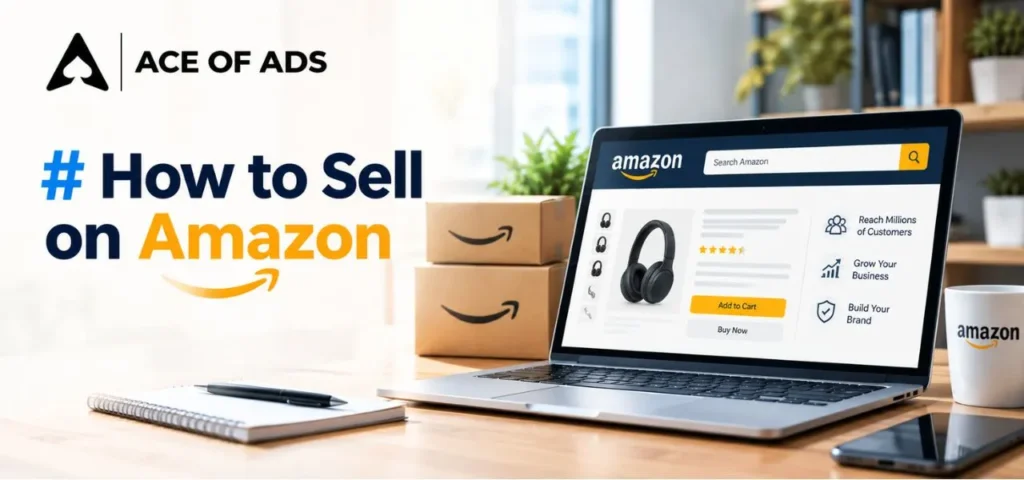
If you want to know how to sell on Amazon India, the process is more than creating a seller account and uploading a product.
You need to choose the right product, understand Amazon’s requirements, calculate your costs, and create a strong product listing.
Based on our practical work with marketplace businesses, we also recommend evaluating fulfilment, advertising, conversion, and profitability before investing heavily in inventory.
Amazon allows businesses, brands, manufacturers, resellers, and other eligible sellers to list products on Amazon. You do not need your own website to start selling on the marketplace. Once your seller account is active, Seller Central gives you a place to manage products, inventory, orders, pricing, and other account activities.
But getting started and building a profitable Amazon business are two different things. This guide explains how to sell products on Amazon, what you need before starting, how the listing process works, what Amazon fees to consider, how fulfilment works, and what you should do after your first sale.
How Does Selling on Amazon India Work?
Selling on Amazon India means using Amazon.in as a marketplace to reach customers who are already searching for products.
You first create your seller account and provide the required business, contact, and tax information. Once your seller account is active, you can start adding products that meet Amazon’s requirements to Amazon.in.
When a customer purchases your product, the order is processed through the fulfilment method you have selected. Depending on the option you choose, you may handle storage, packing and delivery yourself, or Amazon may handle some or all of these activities.
Your work does not end after the first order.
To build a sustainable Amazon business, you also need to manage:
- Product listings
- Pricing
- Inventory
- Advertising
- Search visibility
- Customer experience
- Returns
- Seller performance
- Product profitability
This is why successful Amazon selling should be treated as an ongoing business process, not simply a product-uploading exercise. In our experience, sustainable growth usually requires attention to the product, listing, visibility, conversion, fulfilment and overall profitability together.
Who Can Sell on Amazon India?

Amazon is used by different types of sellers, including:
- Manufacturers
- Brand owners
- Wholesalers
- Distributors
- Retailers
- Resellers
- Small businesses
- Existing D2C brands
- Entrepreneurs with eligible products
The requirements are not the same for every seller. They can depend on the type of product you sell and the way your business is set up.
Some categories have their own rules, restrictions, or documentation requirements. In certain cases, Amazon may also ask sellers to get approval before they can list products in a particular category.
Can Beginners Sell on Amazon India?
Yes. You do not need previous Amazon selling experience to start.
However, beginners should understand that opening an account is only the first step.
A new seller should ideally understand:
- What product they want to sell
- Who will buy it
- How much it costs to produce or source
- What Amazon fees may apply
- How much shipping or fulfilment may cost
- How much margin is available
- How competitive the category is
- How the product will be marketed
- How much working capital is required
If you are searching for how to sell on Amazon for beginners, start with the business economics before spending heavily on inventory.

What Do You Need to Sell on Amazon India?
Before you start selling your products on Amazon, it is a good idea to keep the basic business details and product-related documents ready.
The exact information you need can vary based on your business type and the products you plan to sell.
- Business details
- Name and contact information
- Mobile number
- Email address
- PAN details
- GST details where applicable
- Bank account details
- Pickup address
- Product information
- Brand information
- Product identifiers
- Category-specific documents where required
Amazon’s current seller registration guidance states that GST is required for taxable products, while sellers of GST-exempt products can follow the applicable exemption process.
Requirements can change based on tax rules, product category and Amazon’s policies, so always verify the current requirements before registration.
Is a GST Number Required for Amazon Sellers?
The answer depends on the products you intend to sell and the applicable tax rules.
Amazon’s current registration guidance says sellers of taxable products need a valid GST number. Sellers dealing only in eligible GST-exempt products can register using PAN details under the applicable process.
There are GST-exempt products, but exemption depends on the specific product and applicable conditions. Amazon also maintains guidance covering GST-exempt categories.

How to Start Selling Products on Amazon India
Now let’s look at the complete process.
Step 1: Select the Product You Plan to Sell
Before creating an Amazon seller account, decide what you want to sell. At Ace of Ads we always recommend that you do not choose a product only because you think it is popular.
You should evaluate:
- Customer demand
- Competition
- Selling price
- Product cost
- Amazon fees
- Shipping and fulfilment costs
- Expected advertising cost
- Return risk
- Product size and weight
- Storage requirements
- Compliance requirements
- Expected profit margin
High demand does not always mean low competition. Popular products can also have many sellers competing for the same customers.
A product with a high selling price may have a better margin, but it may also require more working capital.
Step 2: Check If Your Product Is Allowed To Sell on Amazon
Before buying inventory, check whether your product and category are eligible.
Some Amazon categories have additional requirements or restrictions. Certain products may require approval, documentation, brand information or other compliance details.
Check:
- Category requirements
- Product restrictions
- Brand requirements
- Product documentation
- Tax requirements
- Safety or regulatory requirements
- Packaging requirements
- Product-specific compliance
This step can save you from buying inventory that you later cannot list or sell as planned.
Step 3: Check Your Product’s Unit Economics
Before ordering inventory, make sure you know whether the product can actually make money. Calculate your expected profit after product cost, Amazon fees, fulfilment or shipping, advertising, and other business expenses.
For example, suppose you plan to sell a product for ₹999.
You should not consider ₹999 as your profit opportunity.
You need to account for:
- Product or manufacturing cost
- Amazon referral fee
- Closing fee
- Shipping or fulfilment charges
- Packaging where applicable
- Advertising
- Returns and related costs
- Other applicable expenses
Amazon’s current profitability guidance follows the same basic principle: calculate applicable selling fees and product cost against the selling price to understand profitability.
Step 4: Create Your Amazon Seller Account
To start selling on Amazon India, go through Amazon’s current seller registration process.
Amazon’s current registration guidance directs sellers to start through Sell on Amazon or Seller Central.
The registration process generally involves providing:
- Contact information
- Business information
- Tax information
- Pickup address
- Bank account information
- Store information
- Other details required for seller verification
If you already have an Amazon customer account, Amazon’s current registration process may allow you to use the existing login credentials to begin seller registration.
Step 5: Set Up Your Amazon Seller Store
Your seller account gives you access to Seller Central.
Seller Central gives you access to the tools you need to run and manage your Amazon selling account, such as:
- Products
- Listings
- Inventory
- Orders
- Pricing
- Reports
- Seller performance
- Support
Amazon also provides a Seller app that can help sellers manage products, inventory, pricing, fulfilment and sales while away from a desktop.
How to List a Product on Amazon India
Once your seller account is ready, the next important step is creating or adding your product listing.
Amazon currently provides multiple ways to list products.
You can:
- Match an existing product
- Create a new product listing
- Upload products in bulk
Amazon states that sellers can search for an existing product using information such as product name, UPC, EAN, ISBN, model number or brand name where applicable.
1- Find Out If Your Product Is Already on Amazon
First, look through Amazon’s existing catalogue to see whether the product is already listed. If you find a product page that matches what you are selling, you may be able to add your offer to that ASIN rather than creating another listing.
Check the product details carefully before doing so, and only use an existing ASIN when it matches your product exactly.
Do not attach your offer to an ASIN simply because the product looks similar.
Check details such as:
- Brand
- Model
- Size
- Colour
- Pack quantity
- Product type
- Product specifications
Incorrect product matching can create customer complaints and catalogue problems.
2- List Your Product as a New Catalogue Entry
If there is no existing catalogue entry that matches your product, you can add it as a new listing on Amazon.
Important product information can include:
- Product title
- Brand
- Category
- Product type
- Product images
- Bullet points
- Product description
- Variations
- Price
- Quantity
- SKU
- Product identifiers
- Dimensions
- Weight
- Other category-specific information
Amazon’s listing guidance currently supports creating new listings, matching existing products, and uploading listings in bulk.
How to Create an Amazon Product Listing That Gets Found and Converts
A product being live on Amazon does not mean the listing is ready to perform well.
The page should provide clear and useful information so customers can understand the product and Amazon can determine where it is relevant.
1. Optimize Your Amazon Product Title
Your title should clearly communicate the product.
Depending on the category and Amazon’s current requirements, important information may include:
- Brand
- Product type
- Main product attribute
- Size
- Quantity
- Important variation
- Relevant product information
Do not turn the title into a list of repeated keywords.
A title written for search but difficult for customers to understand can hurt the shopping experience. Use relevant search terms naturally while keeping the title clear.

2. Write Useful Amazon Bullet Points
Bullet points should help shoppers make a decision.
Focus on:
- Important product features
- Customer benefits
- Product use cases
- Materials
- Size
- Compatibility
- Specifications
- Important buying information
Instead of writing:
Premium quality product with amazing features.
Give the customer useful information.
For example:
Easy to Store: Compact design makes the product suitable for smaller storage spaces.
3. Write a Helpful Product Description
Your product description should answer questions that may prevent a customer from buying.
Depending on the product, explain:
- What the product does
- Who it is for
- How it can be used
- Important features
- Product specifications
- What is included
- Care or usage information
Use relevant keywords naturally.
Do not repeat the same phrase simply to increase keyword frequency.
4. Use High-Quality Product Images
Images have a direct role in the customer’s buying decision.
Use images that clearly show:
- The actual product
- Product size
- Important features
- Product details
- Usage
- Packaging where relevant
- Variations
- Product-in-use situations
The primary image should clearly represent the product and follow Amazon’s current image requirements.
Additional images should answer customer questions before the customer needs to ask them.
5. Use Product Variations Correctly
Where Amazon supports variations for your product type, variations may include:
- Size
- Colour
- Quantity
- Pack size
- Flavour
- Other valid product attributes
Use variations only when the products genuinely belong together under Amazon’s applicable catalogue rules.
What Does It Cost to Start Selling on Amazon India?
There is no single fixed cost that applies to every Amazon seller.
Amazon currently lists several fee categories, including:
- Referral fees
- Closing fees
- Shipping or weight handling fees
- Fulfilment-related fees
- Other applicable fees
The actual amount can depend on factors such as category, product price, size, weight, fulfilment channel and other services. Amazon’s fee structure also changes over time.
Is Selling on Amazon India Free?
Listing a product on Amazon.in is not the same as having zero selling costs.
Amazon’s FAQ states that listing is free and sellers are charged when they receive an order, subject to applicable fees.
You should still budget for the broader cost of operating your business, including:
- Product cost
- Packaging
- Amazon fees
- Fulfilment
- Advertising
- Returns
- Storage
- Business operations
This is why calculating profitability before launch is so important.
Which Amazon Fulfilment Option Should You Choose?
Amazon currently provides three major fulfilment choices:
1. Fulfilment by Amazon (FBA)
Amazon can handle storage, packing and delivery, along with other fulfilment-related activities.
2. Easy Ship
You keep the inventory and prepare the orders, while Amazon takes care of the delivery.
3. Self Ship
You arrange the shipment on your own or work with an external logistics company for delivery.
Amazon currently describes these three fulfilment options on its seller resources.
How Do Amazon Sellers Get Paid?
After your bank details are verified and orders are completed, Amazon deposits eligible sales proceeds into your registered bank account after deducting applicable seller fees.
Amazon currently states that sellers are generally eligible for payment seven days after an order is delivered, with settlement information available through Seller Central.
Your Seller Central account is therefore important not only for listing products but also for monitoring sales and settlements.
What Happens After You Get Your First Amazon Order?
Getting your first order is an important milestone, but the process continues.
Depending on your fulfilment method, you may need to:
- Confirm the order
- Prepare the product
- Pack it correctly
- Schedule pickup or arrange delivery
- Confirm shipment
- Monitor delivery
- Handle customer queries
- Manage returns where applicable
- Monitor payment settlement
- Replenish inventory
The exact process depends on the fulfilment method you select.
The responsibilities differ depending on the fulfilment option you choose. FBA takes care of most fulfilment activities, while Easy Ship requires you to pack the order before Amazon collects it. With Self Ship, delivery is your responsibility, either directly or through a third-party logistics provider.
How to Get Your First Sale on Amazon India
Getting your product live is only the first step. To get your first sale, you need a good listing, the right visibility, enough stock and pricing that makes sense for your business.
1. Build a Strong Product Listing
Make sure customers can understand:
- What the product is
- Who it is for
- Why it is useful
- What makes it different
- What they will receive
2. Price the Product Carefully
Your price should be competitive without destroying your margin.
Do not reduce your price blindly just because another seller is cheaper.
First understand your costs.
3. Keep Inventory Available
A product cannot generate consistent sales if it repeatedly becomes unavailable.
Plan inventory around expected demand and replenishment time.
4. Consider Amazon Advertising
Advertising can help eligible products gain additional visibility.
But advertising should not be used as a replacement for a poor listing.
If customers click your product but do not buy, increasing ad spend may simply increase your costs.
Amazon SEO: How to Help Your Product Rank
Amazon SEO is the process of improving your product’s relevance and ability to appear for relevant customer searches within Amazon.
Important areas include:
- Keyword research
- Product relevance
- Product title
- Bullet points
- Product description
- Search terms where applicable
- Product attributes
- Images
- Conversion
- Customer experience
- Availability
The objective is to make your product highly relevant to the search while giving shoppers enough information to make a purchase decision.

Amazon PPC for New Sellers
Amazon PPC can help eligible sellers promote products through paid advertising.
One of the commonly used options is Sponsored Products.
A basic campaign can help you understand:
- Search visibility
- Impressions
- Clicks
- CTR
- CPC
- Orders
- Advertising sales
- Advertising cost
- ROAS or ACOS
If the product listing has:
- Weak images
- Poor pricing
- Low relevance
- Weak product information
- Poor reviews
- Limited availability
Putting more money into advertising will not necessarily improve results when the underlying listing issues remain.
How to Manage Amazon Inventory, Orders and Returns
Once your sales increase, operational management becomes increasingly important.
1. Inventory Management
Monitor:
- Current stock
- Sales velocity
- Replenishment time
- Seasonal demand
- Slow-moving products
- Fast-moving products
Avoid both extremes.
Too much inventory can tie up working capital.
Too little inventory can result in lost sales and operational problems.
2. Managing Returns
Returns are part of marketplace selling.
Monitor:
- Return rate
- Main return reasons
- Product defects
- Incorrect expectations
- Size or compatibility issues
- Listing-related misunderstandings
If customers repeatedly return a product because the listing creates the wrong expectation, improving the listing may reduce the problem.
Amazon Seller Account Health: What Beginners Should Know
Amazon sellers should pay attention to account health and marketplace policy compliance.
A seller should understand:
- Amazon’s selling policies
- Product restrictions
- Customer experience requirements
- Order performance
- Returns
- Product authenticity
- Listing accuracy
- Intellectual property concerns
- Seller performance indicators
Do not ignore policy notifications or assume a problem will resolve itself.
If you receive an account health or policy notification, read the specific Amazon communication and follow the current instructions rather than relying on advice from an unrelated old article.
Amazon Brand Registry: When Should You Consider It?
If you own a brand, Amazon Brand Registry may become relevant as your business grows.
Brand-focused sellers may use Amazon’s brand tools to build a stronger presence on the marketplace and protect their brand assets, subject to Amazon’s eligibility requirements and current programs.
This can become especially important when you are moving from simply reselling products toward building a long-term brand.
Before applying, check Amazon’s current eligibility requirements and available brand programs.
Common Mistakes New Amazon Sellers Make
New sellers often make simple mistakes that can affect sales, margins and account performance. Here are the key ones to avoid.
1. Choosing a Product Without Checking Profitability
High demand does not always mean high profit. Check product costs, Amazon fees, fulfilment, advertising and other expenses before investing.
2. Ignoring Amazon Fees
Selling Price − Product Cost = Profit is not enough. Include applicable Amazon fees and fulfilment costs when calculating your margin.
3. Creating a Weak Listing
A good product still needs a clear listing. Make sure your title, images, bullets and product information help customers understand what they are buying.
4. Using Poor Product Images
Customers cannot physically inspect the product online. Use clear images that show the product, features, size and important details.
5. Running Ads Before Fixing the Listing
Ads can bring traffic, but a weak listing may not convert it. Review your images, pricing and product information before increasing ad spend.
6. Competing Only on Price
Constant price cuts can reduce your margin. Focus on product value, listing quality and customer experience instead.
7. Running Out of Stock
Stockouts can interrupt sales and affect your growth. Monitor inventory and plan replenishment based on your sales and lead time.
8. Ignoring Customer Feedback
Reviews, questions and returns can highlight issues with product quality, packaging, instructions or customer expectations. Use this feedback to improve.
9. Expecting Immediate Profit
Amazon can provide access to a large customer base, but profitable growth takes testing, optimisation and consistent execution.
How Much Should You Invest to Start Selling on Amazon India?
There is no universal minimum investment that works for every seller.
Your starting capital can depend on:
- Product type
- Inventory quantity
- Product cost
- Packaging
- Product photography
- Compliance
- Amazon fees
- Fulfilment
- Advertising
- Working capital
- Return rate
- Reorder requirements
A small seller with a low-cost product may have a very different starting requirement from a private-label brand launching several products.
Amazon Selling Checklist for Beginners
Before getting your products live, check that you have the necessary information, documents, and resources for your Amazon business.
1. Before Registration
- Product selected and demand researched
- Competition and pricing checked
- Product eligibility and GST requirements checked
- PAN, bank details, and pickup address ready
2. Before Creating Your Listing
- Product details and identifiers ready
- Good-quality product images available
- Title, bullet points and description prepared
- Selling price and Amazon fees calculated
- Enough stock available to get started
3. Before Going Live
- Fulfilment method chosen
- Listing, images and pricing checked
- Initial inventory planned
- Advertising budget decided
- Expected profit margin calculated
4. After You Start Selling
- Keep track of orders and inventory
- Check sales, advertising and listing performance
- Watch customer reviews and returns
- Keep an eye on account health and profitability
A Practical Amazon Selling Perspective From Ace of Ads
At Ace of Ads, we look at Amazon growth beyond simply generating orders. Product economics, listing quality, Amazon SEO, Amazon advertising, conversion, inventory, and profitability all need to work together for sustainable marketplace growth.
Frequently Asked Questions About Selling on Amazon India
How Does Selling a Product on Amazon India Work?
To sell your product on Amazon India, create an eligible seller account, complete the required registration and tax information, list your product, set your price and inventory, choose a fulfilment method, and launch the product. You then need to manage orders, customer experience, visibility and profitability.
Is a Website Required to Sell on Amazon?
Amazon.in allows eligible sellers to offer products on its marketplace without running a separate website. Amazon’s current FAQ states that sellers can use Seller Central to list products directly on the Amazon marketplace.
What Is the Best Way for a Beginner to Start Selling on Amazon?
Start by selecting a suitable product, checking category and tax requirements, calculating your expected margin, registering as a seller, creating a strong product listing, choosing fulfilment and preparing a launch plan.
Does Amazon India Require Sellers to Have GST?
For taxable products, Amazon’s current seller registration guidance states that GST details are required. Sellers dealing only in eligible GST-exempt products may follow the applicable exemption process using PAN details.
Is selling on Amazon India free?
Amazon states that listing on Amazon.in is free, but sellers can incur applicable selling, fulfilment, shipping and other fees when orders are generated or services are used.
How much does Amazon charge sellers?
Amazon does not charge every seller the same amount. Fees can depend on factors such as category, product price, fulfilment method, size, weight and other applicable services.
Can I sell products from home on Amazon India?
Eligible sellers can operate an Amazon business from home, provided they meet the applicable business, tax, product and fulfilment requirements. Your actual setup depends on the product.
How do Amazon sellers get paid?
Eligible sellers receive sales proceeds through their registered bank account after applicable Amazon fees are deducted. Amazon currently states that eligible payments are generally deposited seven days after delivery, subject to the applicable payment terms.
How do I get my first sale on Amazon?
Start with a relevant product, strong listing, competitive but profitable pricing, sufficient inventory and a suitable visibility strategy. Advertising can help generate visibility, but it should work alongside a product listing that is capable of converting customers.
How do I make my Amazon product rank higher?
Improve the relevance and quality of your product listing, use relevant search terms naturally, provide complete product information, improve images and conversion, maintain good customer experience, and use appropriate advertising where it supports your business goals.
How Soon Can You Expect Your First Amazon Sale?
There is no fixed timeframe. It depends on product demand, competition, price, listing quality, availability, customer response, advertising, and other factors.
About the Author
Reviewed by: Alok Yadav, Founder of Ace of Ads
Alok Yadav’s background includes sales, marketing, and e-commerce, with practical experience working with around 15 Amazon brands. He has also spent two years working in Marketing & Ads. Through Ace of Ads, he works with e-commerce businesses on marketplace advertising, SEO, and broader growth strategies.
Last updated: October 2026